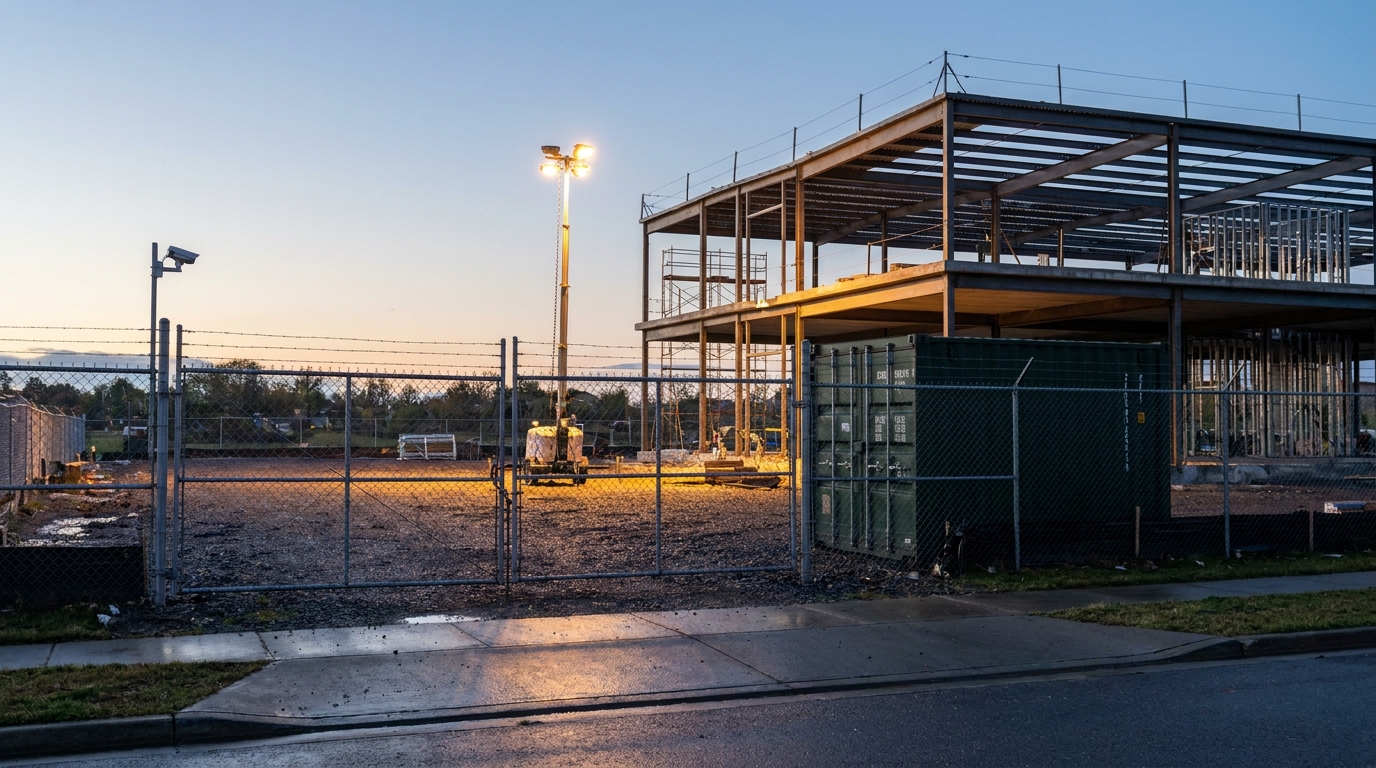
What Works for Construction Site Theft Prevention Cameras
The most reliable approach combines three things: cameras placed at the points where people and vehicles enter or where tools are stored, detection that runs only when the site is closed, and an alert that reaches a person who can act. A camera that only records tells you what happened after the loss. A camera that raises a verified alert while someone is still on site gives you a chance to interrupt the theft.
The same cameras can support two other jobs. Timestamped images of entry points become trespass evidence, and images from fixed viewpoints become a progress record. The key is to decide which job each camera is meant to do before you mount it, because the best angle for catching a person at a gate is rarely the best angle for documenting a facade.
This article outlines how to plan that setup whether you reuse cameras that already exist or add new ones. It stays vendor-neutral, so the points apply to any camera brand or monitoring service.
Start With How Your Site Was Actually Entered
After a burglary, review how the thieves got in, where they parked, what they took and where it was stored. This usually reveals a small number of weak points: a gate that was left unlocked, a fence section that is easy to climb, a container that was visible from the road, or a laydown area with no lighting. Cameras should cover those points first, not the whole site evenly.
Also check what you already have. Many sites have more camera coverage than they realize: a permanent building system in a renovation, a neighbor's cameras facing the street, a trailer-mounted unit, or cameras installed earlier and never connected to anything. Contractor forums, such as discussions on BiggerPockets about monitoring a job site with a camera, show how often managers ask this question and how many reach for improvised solutions. Before buying anything new, list each camera, what it can see, and whether it can be reached over a network.
Job sites change week to week, so choose coverage that can be moved. Cameras on poles, trailers or temporary mounts are easier to re-aim as the building envelope closes and new storage areas appear. Power and connectivity are the usual constraints, so confirm both at each location before you commit to it.
Building After-Hours Intrusion Detection That Gets Acted On
Intrusion detection works best when it is limited to defined zones and defined hours. Mark the perimeter, gate, tool storage and material laydown as protected zones, and arm them when the last crew leaves. During working hours, the same cameras can stay off alert so that normal activity does not create noise.
Alerts only help if the person receiving them knows what to do. Write a short response plan: who is notified, who confirms the image, when to call a monitoring service or the police, and who can reach the site. A snapshot that shows a person at the container at night is far easier to act on than a vague motion notification, and it lets the recipient decide quickly whether it is a delivery, a worker returning for something, or an intruder.
Expect some false alerts from weather, animals, moving tarps and headlights, and plan for them. Tuning zones, adjusting camera angles and improving lighting all reduce them. Lighting matters in particular, because many cameras produce much weaker images in low light, and a well-lit gate gives both the camera and any responder a clearer view.
Capturing Trespass Evidence You Can Use
Evidence is only useful if it is clear and organized. For each entry point, aim for an image that shows a person's general appearance, any vehicle and its plate if the angle allows, and a reliable date and time. Check that camera clocks are correct, because a wrong timestamp can weaken otherwise good material.
Keep the images together with a short note on which camera, location and time they came from, and avoid editing them. Insurers and police generally want an accurate account of what was seen and when, plus an inventory of what was lost. Having this ready speeds up a theft claim and any report you file.
Signage and notices also matter, though the details vary. Rules on posting notices, recording in public areas, employee privacy and data retention differ by country, state and city, and in Europe data protection rules such as GDPR can apply to site cameras. Check requirements with your counsel or the relevant authority before deployment; this article is not legal advice.
Using the Same Cameras for Progress Documentation
Progress records are a different use case from security, and they benefit from a different setup. Choose a few fixed viewpoints that show the building from the same angle each day or week, and capture images on a schedule rather than only when something is detected. Consistent framing makes it easy to compare weeks and to show what stage a given area had reached on a given date.
These records help in practical ways. They support owner updates and pay applications, settle questions about whether a trade finished when it said it did, and give context if a delay or dispute arises later. They can also show site conditions on the day, such as material staging or access, which can matter in a claim.
Keep the two purposes organized separately. Security images should be limited to the people who need them and kept under a retention policy you have defined. Progress images can be shared more broadly with owners and project teams, as long as they do not include identifiable people or areas that should stay private.
Layering Cameras With the Basics
Cameras support physical controls and do not replace them. Lock tools in a container or room that is hard to open, remove high-value items from the site when work stops, and keep a current inventory with serial numbers so that a loss can be reported precisely. Good lighting, a controlled gate and visible notices all add deterrence before anyone has to respond.
Monitor the system itself. Cameras get knocked out of alignment, lose power or drop off the network, and a site can look protected when it is not. A simple weekly check of every camera's view, plus alerts when one goes offline, avoids learning about a blind spot after the next loss.
For general contractors with several sites, standardize the approach. Use the same zones, hours, response plan and naming across projects, and review all sites from one place where possible. That keeps a small team from having to relearn the setup every time a new job starts.
Conclusion
Protecting a job site after a burglary comes down to covering the real weak points, detecting activity only when the site is closed, getting a verifiable image to someone who can act, and keeping separate, well-organized records for trespass and for progress. You can often start with cameras you already have and add temporary ones where there are gaps.
Patrol Sense is one option for the detection side: it applies AI detection to a customer's existing cameras, sends real-time alerts and keeps snapshot evidence, with a multi-site dashboard and camera health monitoring for teams that manage several projects. Whatever tools you choose, define your zones, hours and response plan first, and check regularly that the cameras are working.
Frequently asked questions
Can I use cameras I already have on a construction site?
Often yes, if they cover entry points or storage areas and can be reached over a network. List each camera, its view and its power and connectivity before buying new ones. Add temporary cameras only where there are real gaps.
Where should cameras go on a job site?
Prioritize the gate or vehicle entrance, the tool container or storage room, and material laydown areas. Add fence-line coverage at any section that was used for entry in a previous theft. Position progress cameras separately, at fixed viewpoints that show the building clearly.
Is recording on a construction site legal?
Rules on cameras, notices, privacy and data retention vary by country, state and city, and in Europe data protection rules can apply. Check requirements with your counsel or local authority before deployment. This is general information and not legal advice.
How can cameras help with an insurance claim after a theft?
Timestamped images of the entry point or storage area can show when and how the loss happened, which supports the claim alongside an inventory of what was taken. Keep the images unedited with a note on the camera and time. Your insurer will tell you what documentation it requires.
How do I keep false alerts down at night?
Limit detection to defined zones and closed hours, and adjust camera angles away from roads, tarps and other moving objects. Improve lighting at gates and storage areas so images are clearer. Review alerts regularly and refine the zones as the site changes.